IN
 USA
 PH
 ZA
 LATAM
 Global
IN
USA
PH
ZA
LATAM
Global
Safety at MoveInSync is a layered system of compliance checks, live monitoring, and verification that covers an employee trip end to end - before it starts, while it runs, and after it completes.
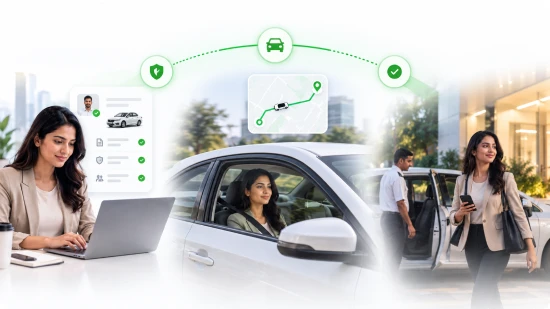
Safety isn't one feature, it's a sequence of checks and processes. Before a trip is allotted, the driver, the vehicle, and the marshal must be compliant. While it runs, the employee holds a one-tap Safety Toolkit and the security desk ensures full safety through live tracking, and in-cab cameras. After the drop, a geofence-backed confirmation closes the loop on every passenger. Each measure maps to CAB-GIS², a seven-category risk framework that keeps the coverage deliberate.

Most transport safety is reconstructed after an incident occurs. You can say where a vehicle was, but not whether the driver was drowsy or tailgating. Issues surface only when someone reports them, and the audit that follows rests on driver confirmations and coordination calls due to the lack of evidence. It's also a compliance exposure: night transport for women employees carries statutory obligations for marshal coverage, verified drivers, drop confirmation - and reconstructing that proof from spreadsheets is not scalable.
Every measure is scoped to one of seven risk categories that MoveInSync groups under the proprietary CAB-GIS² framework - Compliance, Accident & emergency, Behavioural, Geofence, Informational leakage, Systemic, and Speculative. (The full breakdown is in Under the hood.)
Within this, each measure attaches to one point in the trip. Each stage assumes the previous one held.
1
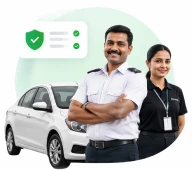
Driver: reaches the roster only with background verification done against government records and mandatory training.
Vehicle: documentation verification and EHS audit must be passed. Telematics assets are mapped to the registration number. That mapping is what later lets an alert be tied to a specific cab.
Marshal: the system decides whether the trip requires a marshal, based on trip composition, gender, and time of travel.
2
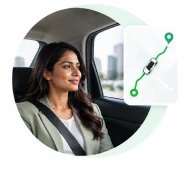
Employee: The Safety Toolkit sits on the tracking page of the app, allowing the employee to raise SOS, record audio/video discreetly, call security or share the live ride.
Security desk: every live vehicle is visible on one map, alerts sorted so the most critical ones surface to the top for action, Click2Call to reach a driver without personal numbers changing hands.
Vehicle: DMS and ADAS cameras instantly report drowsiness, distraction, and unsafe driving as it happens.

3
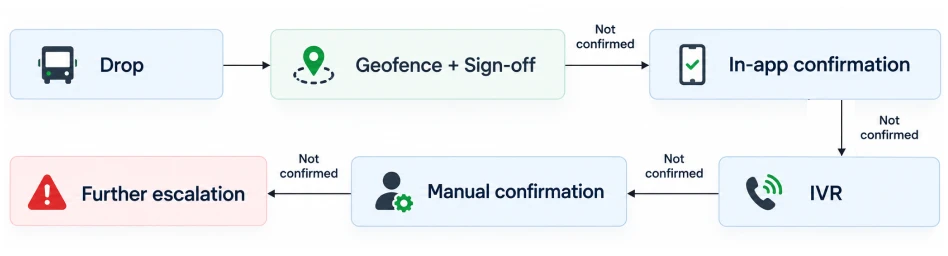
Confirm: Auto Safe Reach Confirmation runs through four channels in order - geofence, app, IVR, manual, and records the final confirmation.
Early drop-off: Geofencing flags a drop that occurs outside the set radius around the drop location to ensure the employee is always dropped at the doorstep.
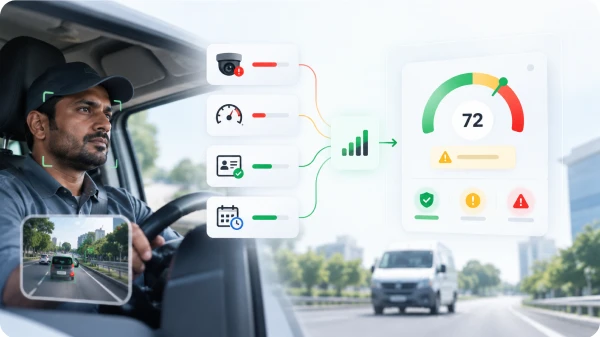
Feedback: alerts and video roll up into driver- and vehicle-wise reports, feed the risk index that bands the driver Safe, Moderate, or Risky based on scores and surface the patterns that become the next training module.
Under the hood
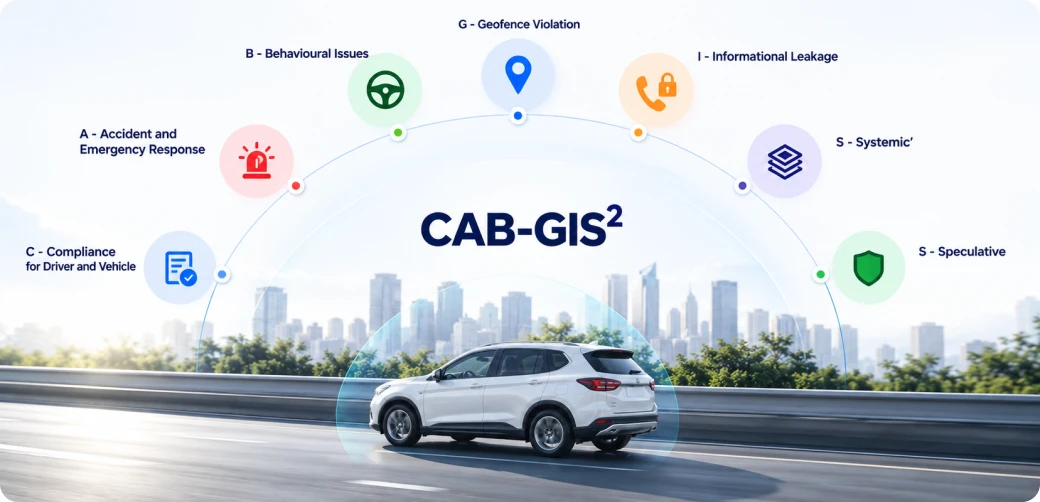

Verified drivers, valid papers, EHS audits, and training completed before a trip is allotted.

SOS, panic alarm, collision and high-G detection, vehicle-stopped alerts, one-click reach to the cab.

In-cab DMS and road-facing ADAS catch drowsiness, distraction, phone use, and unsafe driving while the trip is live.

Unsafe-zone alerts, route deviation, and drop-point geofences that catch an early exit.

Click2Call and number masking keep contact possible without exposing personal numbers.

Multiple fail-safe channels: app, geofence, IVR, and manual verification, so one failure isn't a blind spot.

For rides with higher risk probability: marshals on dark-hour trips, resequencing, and risk scores that flag a pattern before it becomes an incident.
The engine combines these into a single composite score with weights configurable per site and shift, and it uses proven route-optimization techniques to search many possible trip combinations quickly, even at large scale, re-optimizing as demand or traffic shifts.
Marshal allocation is dynamic, and the system checks for several conditions before allocating a marshal to the trip.

During dark hours it reorders the route so the first pickup or last drop is not a female employee, removing the requirement without removing the protection behind it.
→

Where reordering doesn’t work, the trip can't commence with a female employee on board unless a marshal is present. Admins configure whether that's a warning or a hard block. Adhoc trips are enforced too.
↓

Marshals mark duty only from inside the facility geofence so no remote check-ins or proxy attendance. Every pickup and drop is confirmed by OTP, so marshal presence is a verifiable record. Employees can tap the marshal's photo in the co-passenger list to confirm identity against their digital ID.
←

Auto Marshal Allocation pairs the right marshal to each trip in real time, weighing shift windows, availability, compliance, and live check-in status, taking the assignment off your team's plate.
Auto Safe Reach Confirmation (SRC) removes the common case from the manual queue. Two conditions must both hold: the employee is inside the configured geofence radius of their drop point, and has signed off. On a match, SRC is marked successful, further checks stop, and the log records the source as Geofence.
If nothing arrives within the set window (e.g. five minutes), IVR takes over as per your existing configuration, then manual action. Every confirmation stores its source for a full audit trail.

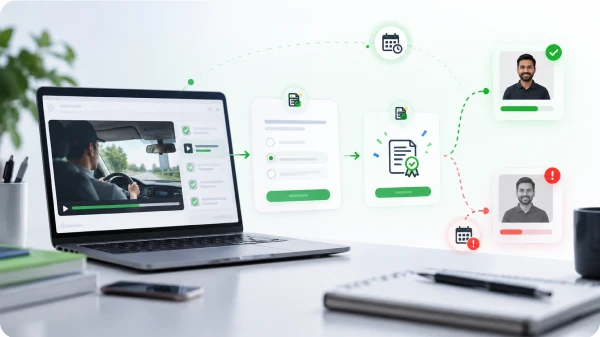
runs against a completion window fixed by the team. Full video must be viewed before a course can be marked as completed and the quiz unlocks only after the content is fully consumed. Passing the quiz completes the module. The team can choose to mandate completion of certain modules, and to complete it within a certain time period. Missing the window flags the person as Non-Compliant automatically, with the training being marked Overdue.

is a weighted composite, not a simple alert count. It is built from factors like critical alerts, speed violations, background check status, and tenure. Each of these has different weightages which can be customized per fleet, because the same alert profile means different things in different types of operations. The output is a score plus a band: Safe, Moderate, or Risky.
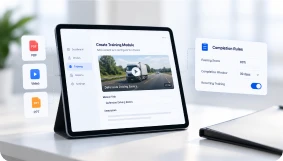
Training modules can be built and added as PDF, video, or PPT, in your drivers' local languages, with your own set of conditions for passing, window of completion, and frequency.
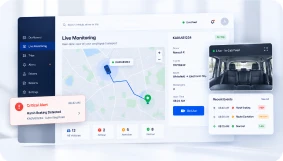
The Security Dashboard is the live view where you can filter by severity, open an alert to see time and location, play the clip, or Go Live to get a live view of the cab. Decisions made here are also fully logged including who made it.
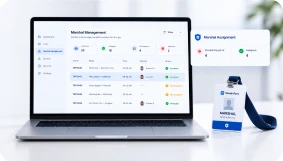
Marshal Management shows the day's trips against their marshal requirement, filtered by assigned, not assigned, and violations.
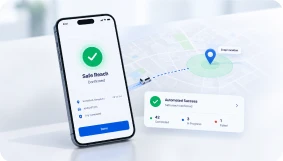
The SRC queue sorts each night's drops into Automated success, Manual success, In progress, Failed, and Not travelling, so the team works on the exceptions.
MoveInSync's proprietary seven-category safety framework (Compliance, Accident & emergency, Behavioural, Geofence, Informational leakage, Systemic, Speculative).
reordering pickups or drops so the first or last stop is not a female employee, removing the marshal requirement without reducing protection.
driver-facing camera detecting drowsiness, fatigue, distraction, phone use, smoking, seat-belt violations, cabin over-occupancy and other hazardous issues.
road-facing camera detecting forward collision risk, pedestrians, tailgating, lane departure etc.
connecting two parties through the platform so neither sees the other's number.
status applied automatically when a mandatory training isn't completed within its window.
a dedicated security guard assigned to ride along, typically during dark hours or where a woman would otherwise travel alone.
the in-app safety centre on the tracking page where employees Raise SOS, Record Audio/video, Call Security and Share Ride Details.
a configured radius around a point. Used to confirm a safe drop, and to flag an employee getting down far from the destination.
the third alert family, from the vehicle rather than a camera, like sudden jerk / high-G, harsh acceleration, braking and cornering, plus continuous driving, night driving, and idling.
a configurable weighted score per driver, banded Safe, Moderate, or Risky.
Environment, Health & Safety physical inspection of a vehicle, run against a self-serve checklist.
the configured night window in which marshal rules, resequencing, and night-driving alerts apply.
the post-trip check that an employee reached their destination, always logged with the channel that closed it.
• Auto SRC: marked automatically when an employee signs off inside the geofence radius of their drop point.
• IVR fallback: three automated calls to the primary contact when no confirmation arrives in the window.
live streaming from a vehicle on an active trip, and retrieval of past footage by date, time slot, and camera view.
the days a person has to finish an assigned training, configured based on the transport manager’s requirements.
a trip created outside the planned roster. Marshal enforcement applies to these too.